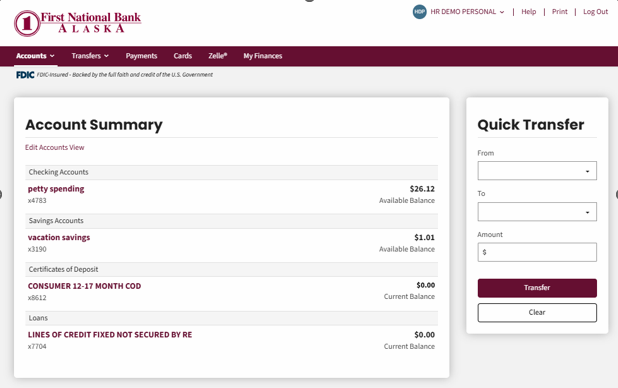
Accessing the Registration Process
To enroll in online banking, you must have a First National account before beginning the registration process.
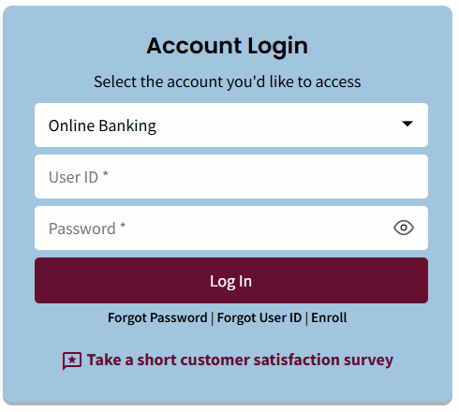
- From the account log in, select the Register link at the bottom of the login page.
DO NOT log in.
- The registration validation page is displayed.
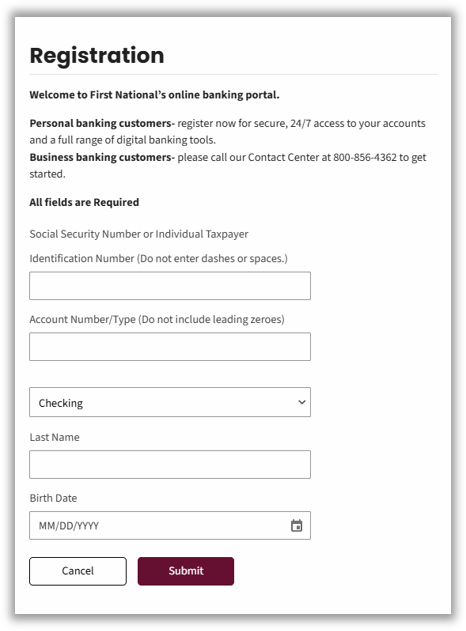
Registration Validation
To complete the registration:
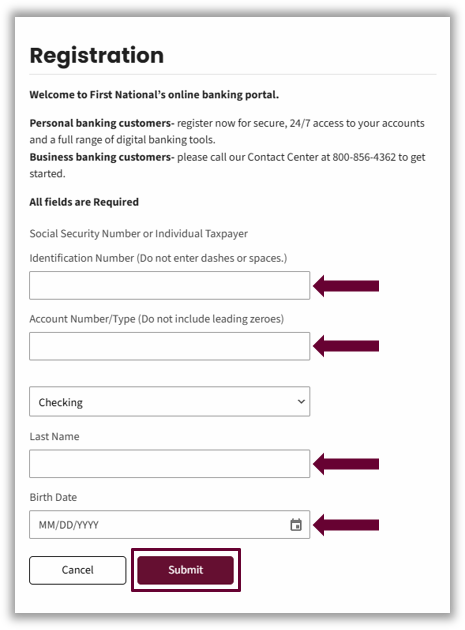
- Complete all the required fields and at minimum one optional field.
Required fields:- Social Security Number (SSN)
- Account Number/ Type
- Last Name
- Birthday Date
Optional Field: First Name
- Select Submit.
Error Messages
When the form is submitted without any of the required fields entered, an error message is displayed, requesting the specific fields.

Information with incorrect formatting will result in a message display describing an error.
- SSN must be 9 digits – no dashes.
- Birth date must be in MM/DD/YYYY format.

A generic error message may appear under the following conditions:
- Fields do not match: The information entered does not align with existing records.
Importantly, the error message does not specify which part of the information caused the failure. It simply states that the account information cannot be validated. By withholding specific feedback, the system prevents unauthorized users from identifying which pieces of information are correct or incorrect, thereby reducing the risk of unauthorized access.

Setting up User Credentials
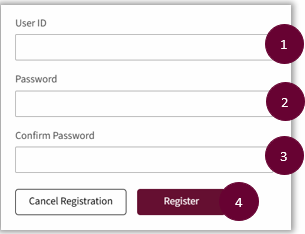
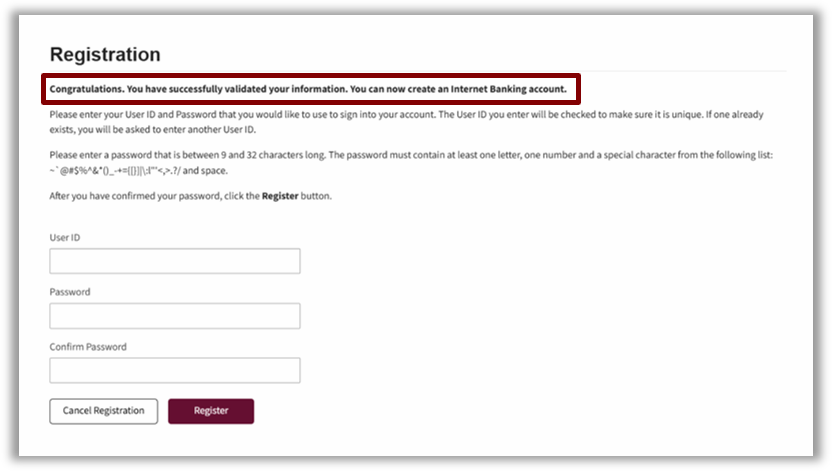
- Enter the User ID on the Registration screen
Note: The system will reject user IDs that are already in the system. User IDs are not case sensitive. - Enter the Password.
- Enter the Password again in the Confirm Password field.
- Select the Registration button.
One-Time PIN (OTP) Security Challenge
The One-Time PIN (OTP) challenge is a mandatory part of the enrollment as a final check that the individual registering is correct. When challenged to submit an OTP, you should follow the steps below:
- Choose to receive the OTP code either by Text Message, Phone Call, or Email.
Note: The phone numbers presented to receive the OTP come from the information for your account. If you do not have access to any of those numbers on the account profile, you will not be able to complete registration online. Reach out to our Contact Center or your local branch to enroll in online banking. - Enter the code received on the Verification screen.
- When the OTP is matched, the system displays the screen where you can set up your credentials.
After you accept the terms and conditions, the Account Dashboard displays. The registration process has been completed.