You have access to statements and statement preferences within online banking regardless of whether or not you are enrolled in electronic statements.
How to enroll in Electronic Statements and Notices
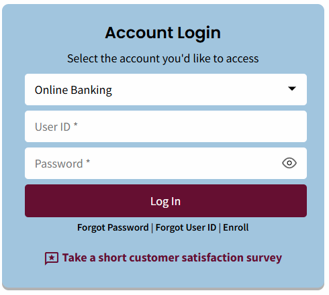
- Log in to online banking at FNBAlaska.com or the mobile app.
If prompted, complete Multifactor authentication (MFA).
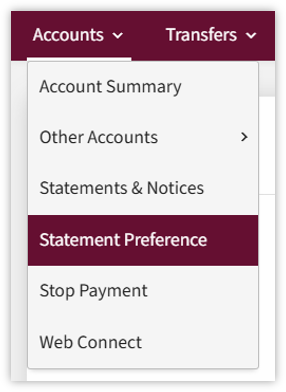
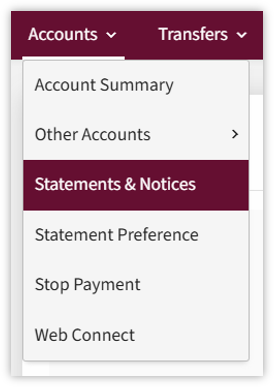
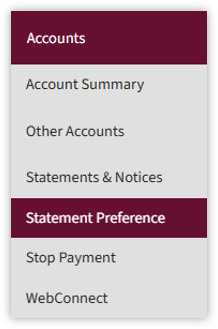
- From the Accounts menu, select Statement Preferences.
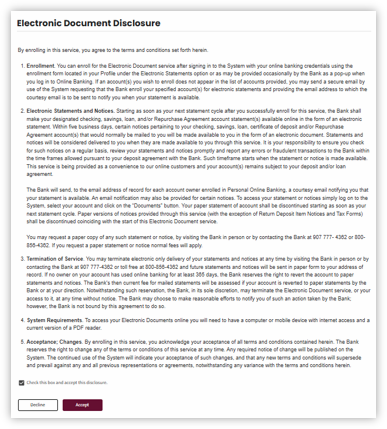
- Read and accept the Electronic Statements and Notifications Disclosure.
- Select the account(s) you would like to enroll.
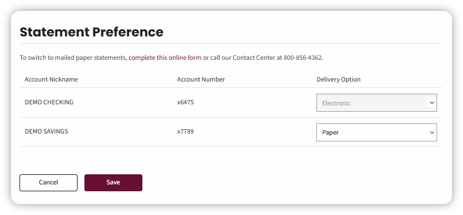
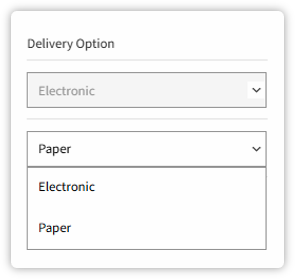
- Choose Electronic as the statement delivery preference.
- Select Save to complete enrollment.
Once enrolled, you will no longer be charged the mailed statement fee (if applicable with your account), you will receive an email when account statements and eligible notices are available to view in online banking, and you will no longer receive your statement via mail.
Accessing Statements digitally
This is how you can view PDFs of your statements. To access statements in online banking:
Once logged in to online banking, select Accounts, then E-Statements & Notices.
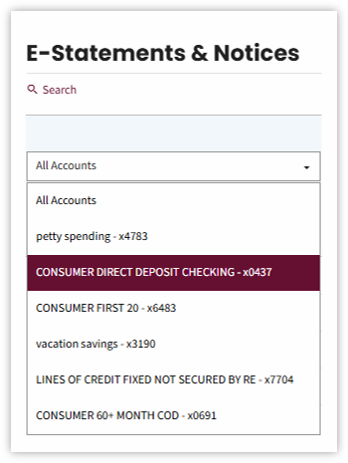
The E-Statements & Notices view displays
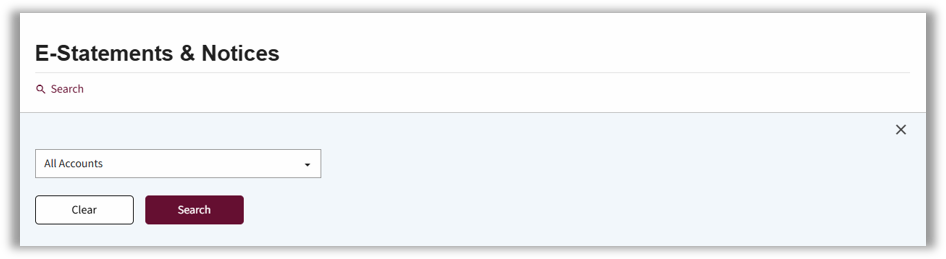
Viewing Statements
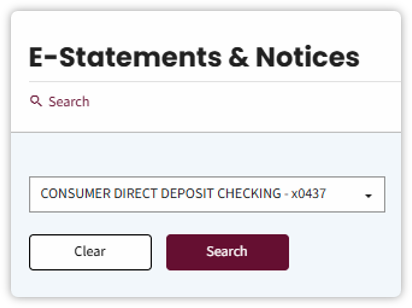
- Select the All Accounts down arrow, then select the desired account from the menu.
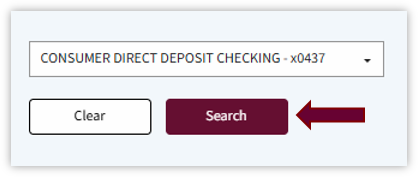
- Select the Search button.
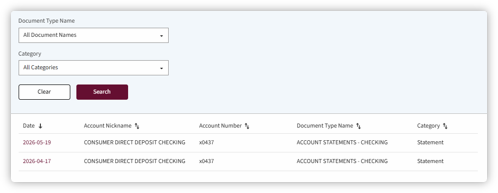
The available statements will display.
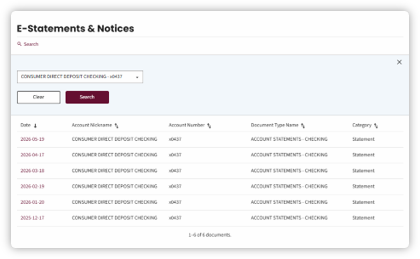
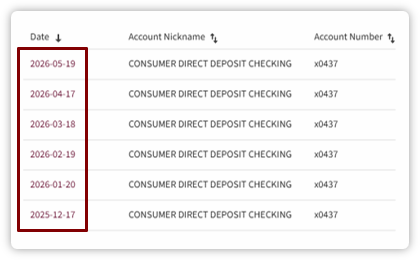
- Select the Date link to view a statement.
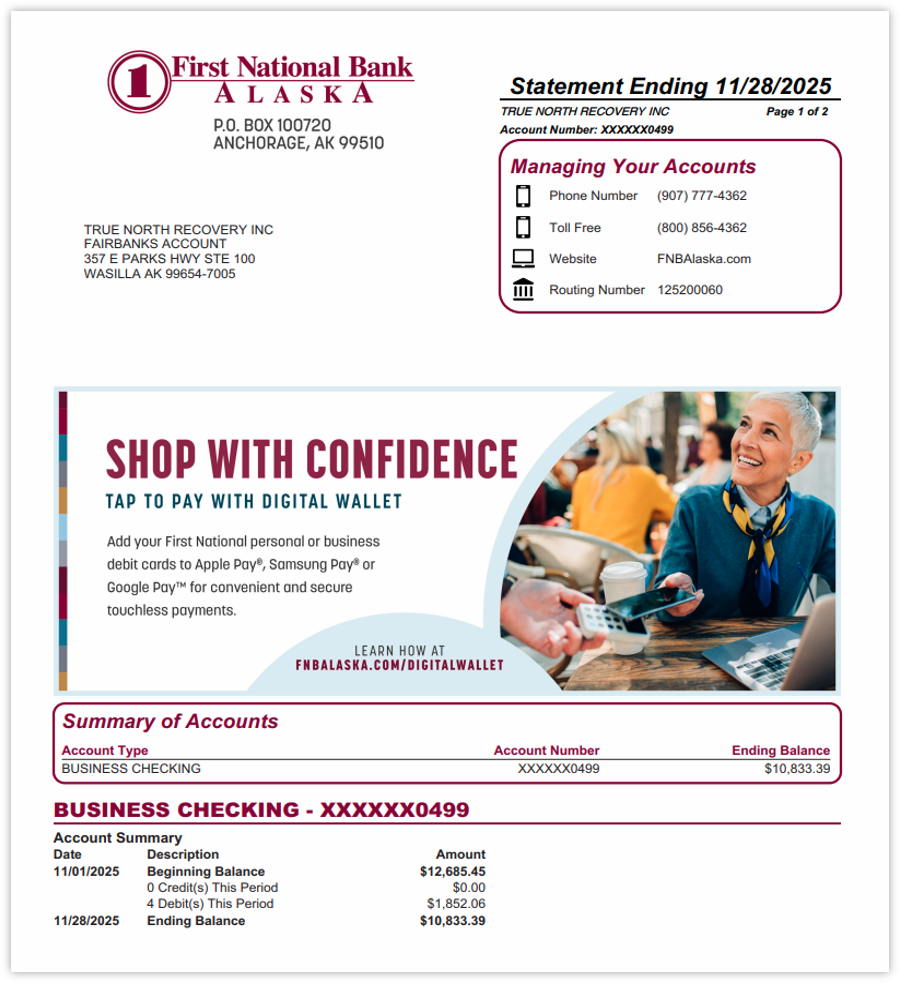
A PDF statement is displayed. This PDF mirrors exactly what you would see in the mail if you still receive paper statements.
Searching for Statements
- Select the Search link.
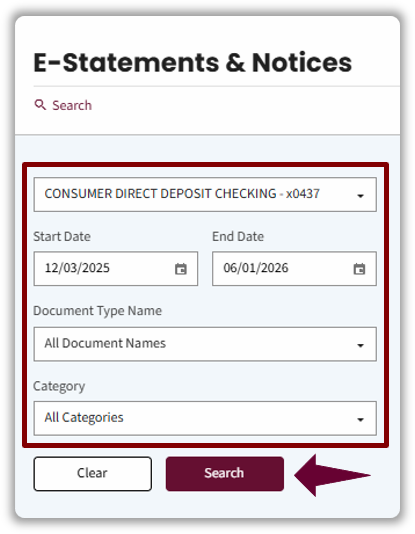
- Complete the following fields to conduct a search:
- All Accounts – Select the desired account.
- Start and End Date – The furthest back you can search is 180 days.
- Document Type Name – Document types are linked to templates in Director.
- Category – You can choose a specific category to filter such as: All Categories, Notice, Statement, ACH Advice or Report.
- Select the Search button. The search results display.
Statement Preference
The Statement Preference page provides you the option to change from mailed statements and notices to electronic statements and notices. Once enrolled, you will no longer be charged the mailed statement fee (if applicable with your account), you will receive an email when account statements and eligible notices are available to view in online banking, and you will no longer receive your statement via mail.
- Select Accounts, then Statement Preference.
The Statement Preference page displays. The accounts listed in this view are eligible for statements
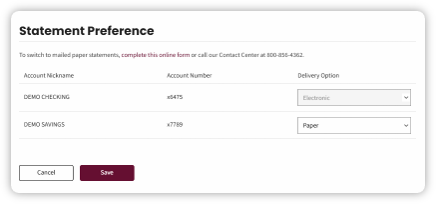
- The Delivery Option dropdown provides you with delivery option preferences.
Options are:
- Electronic
- Paper
If a you are signed for paper statements, they can still view your statements online and will continue to be charged a $1.00 mailed paper statement fee.
If you are currently enrolled in e-statements and would like to switch to paper statements, you will be directed to complete an online form.
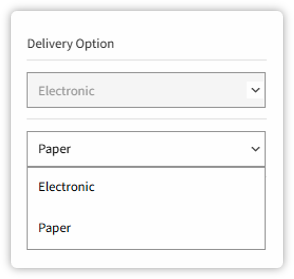
- Once a Delivery Option has been selected, click Save. A pop up will display notifying that your statement preference has been saved.

If you would like to receive a paper statement, fill out the form by clicking Complete this online form hyperlink on the Statement Preference page.